
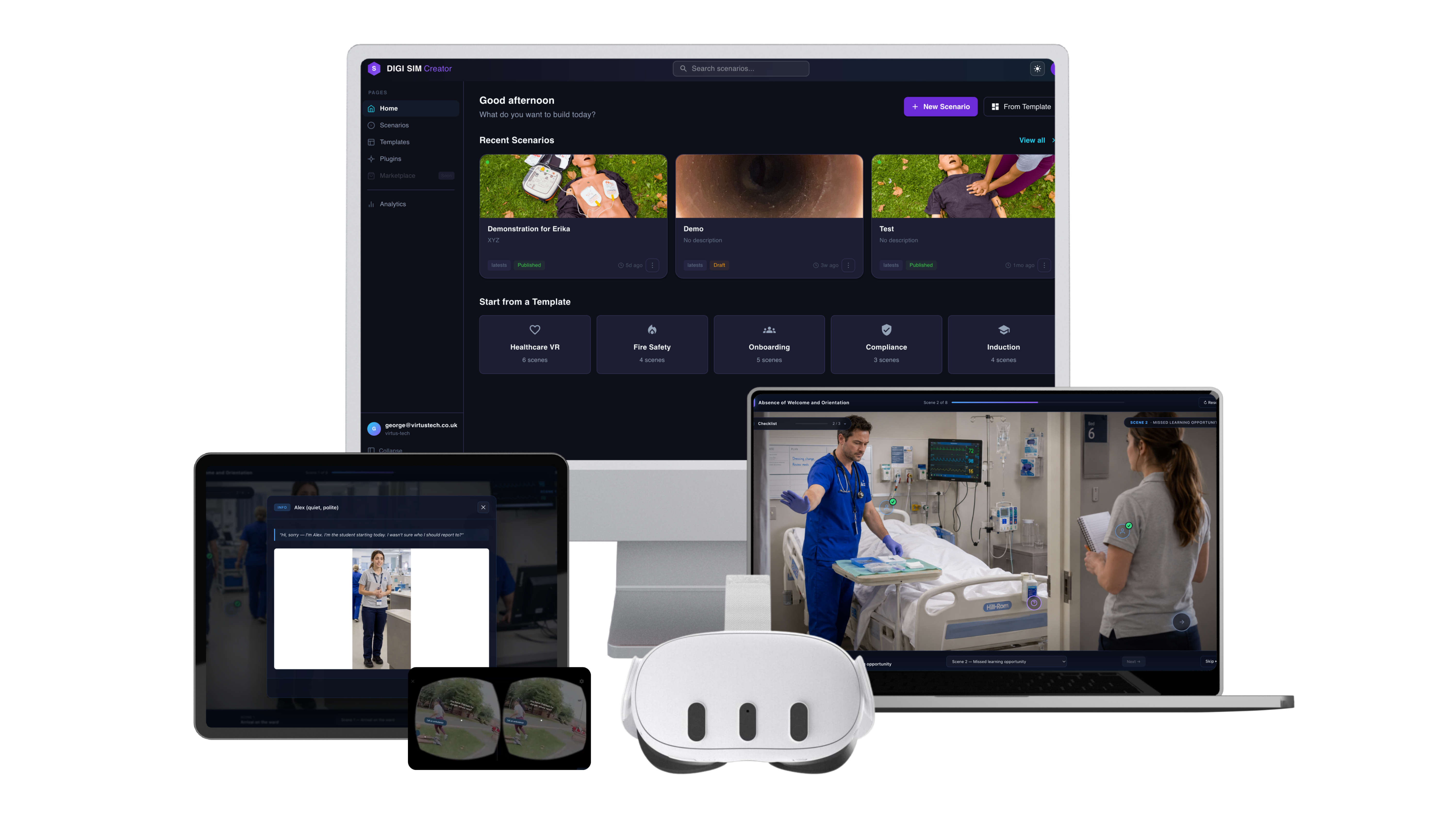
One login. Every device. Every learner.
Start on the headset in class, finish on the train home. Same login, same progress.
Single sign-on
One login. Every role.
Same credentials. Different view per role. The student picks up where they left off. The educator sees every learner, every score, every replay.
Pick up where you left off.
Start a healthcare scenario on the headset in class. Finish the assessment on the train home on your phone. Same login, same progress, same outcomes.
- Resumes mid-scenario across device switches
- Works on phone, tablet, laptop, headset, immersive wall
- Submission timestamps stay consistent across devices
- Offline-capable on tablet for placement learning
See every learner. Mark nothing.
Cohort dashboards. Per-learner replay of every decision. Auto-graded competencies fed to your LMS gradebook on the same login that runs the platform.
- Cohort overview · score distributions · attempt counts
- Per-learner 360° replay of every recorded session
- Auto-marked competencies via Data Mode
- xAPI / SCORM / LTI 1.3 push straight to gradebook
Works with Microsoft Entra ID · Google Workspace · Apple School Manager · Clever · SAML 2.0 · OIDC
Data Mode × LMS
Auto-tracked. Auto-marked. Auto-pushed.
Every decision, every retry, every outcome flows into Data Mode. Data Mode pushes scores, completions, and competency mapping straight to your LMS.
LMS integrations
Plug straight into the LMS you already run.
Native connectors for the LMSes used most across UK and international institutions. Plus the open standards underneath, so anything else is a config job not a project.
 Moodle
 Canvas
 Blackboard
 Cornerstone
 360Learning
 Docebo
 Microsoft Teams
 TalentLMS
 Absorb LMS
Immersive walls
When the classroom becomes the simulation.
The same scenarios deploy to immersive projection walls. Teach a cohort in a physical room. No headsets needed.
- 270° / 360° projection for whole-cohort sessions
- No headset required: every learner sees the same simulation
- Tutor-led drag-and-drop interaction with floating UI
- Same scenario that runs on the headset, the laptop, the phone
- Live competency capture straight into Data Mode
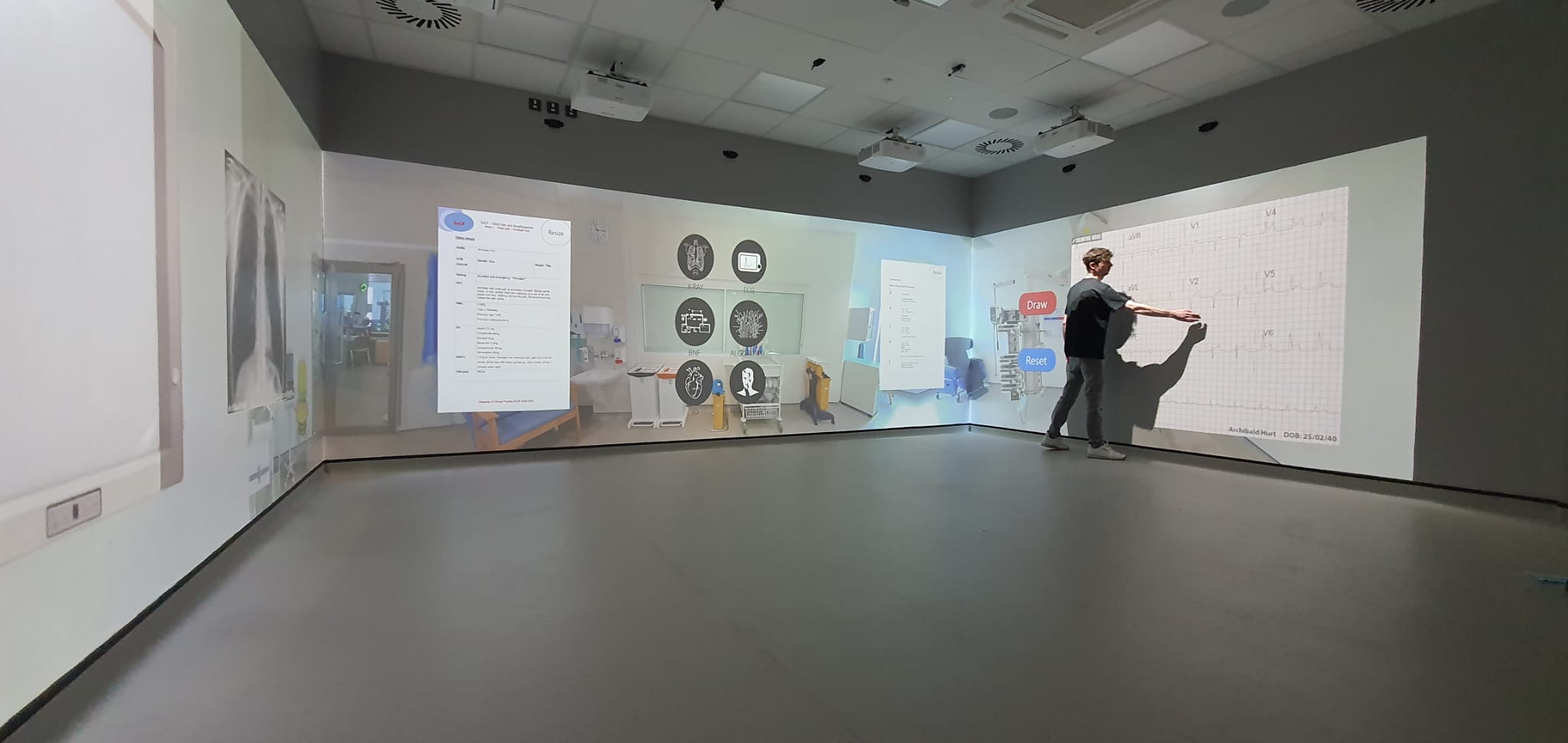
Acute-care scenario · 270° corner-projection wall · clinical training simulation
FAQ
LMS questions, answered.
No. Node XR works as an SSO Service Provider via SAML 2.0 and OIDC. Learners click through from your existing identity provider (Microsoft Entra ID, Google Workspace, Apple School Manager, Clever, Okta, or any SAML-compliant IdP) and the role mapping happens automatically.
Read the full answerMoodle, Canvas, Blackboard Learn, Cornerstone, Docebo, 360Learning, TalentLMS, Absorb LMS, Microsoft Teams, and the NHS LearningHub. For anything else we support xAPI, SCORM 1.2, SCORM 2004, cmi5, LTI 1.3 and a REST API. If your LMS can read SCORM packages, Node XR works with it.
Read the full answerEvery learner decision is captured in Data Mode against a competency map you define. When the learner finishes, Data Mode auto-marks the attempt and pushes the result to your LMS gradebook via xAPI or SCORM. Educators don’t mark anything. Auditors get a full session replay on demand.
Read the full answerYes. Build the scenario once. Node XR adapts the interaction model per device: headset for individual immersion, laptop/phone for revision or remote learning, immersive wall for whole-cohort tutor-led sessions. Scores from every device land in the same learner record.
Read the full answerYes. Node XR is Cyber Essentials Plus certified, NHS DSPT compliant, GDPR-compliant, and hosted on AWS UK for full data residency. Learner data is encrypted at rest and in transit, never used to train AI, and exportable or deletable on request.
Read the full answerBring every device, every learner, every classroom together.
Same scenarios. Same login. Same outcomes. Across every device a learner picks up.